
AI ERP Integration: 5 Real-World Approaches
# AI ERP Integration: 5 Real-World Approaches I've spent the last three years integrating AI assistants with ERPs that were already "legacy" when I started m...
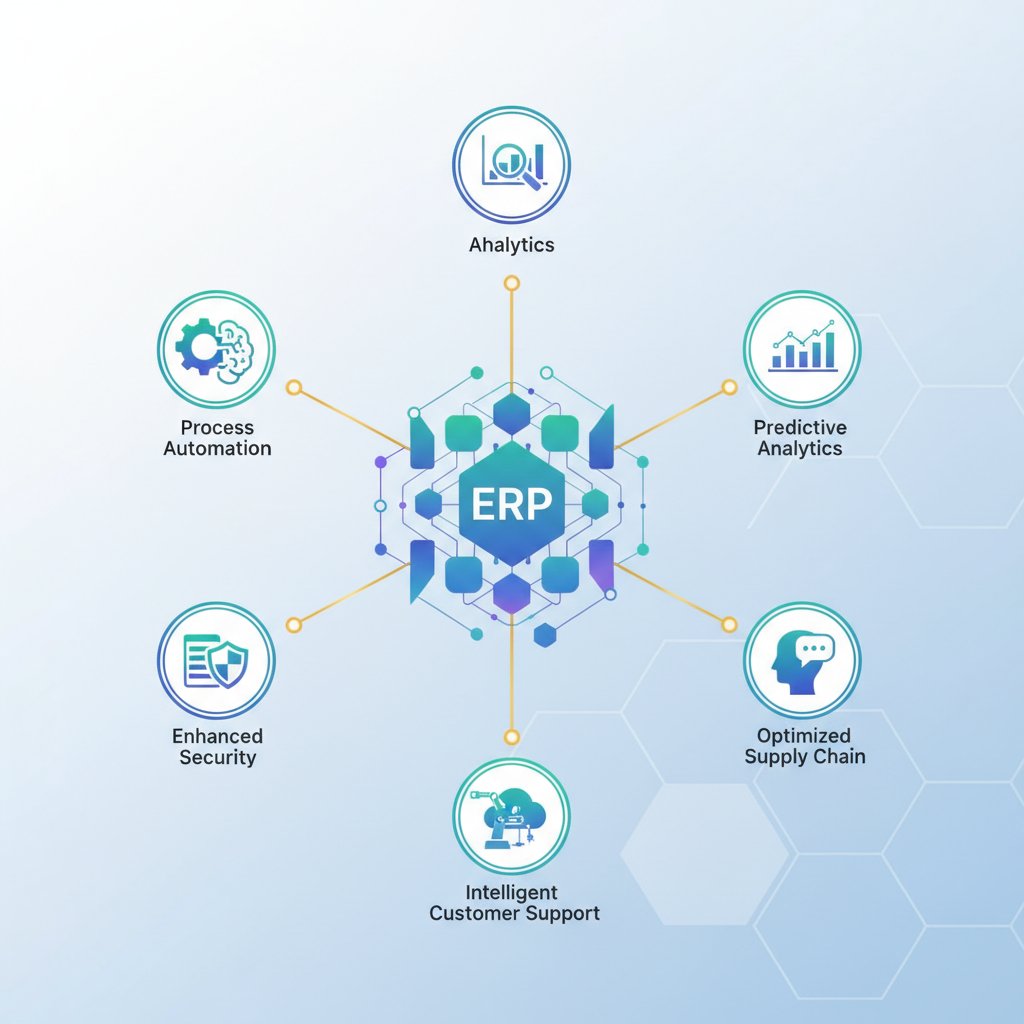
I've spent the last three years integrating AI assistants with ERPs that were already "legacy" when I started my business 19 years ago. The reality? Your NetSuite, Acumatica, Sage, or whatever heavily-customized system you're running wasn't designed to talk to AI. Neither was your industry-specific PSA tool that cost you six figures to implement back in 2015.
The good news: AI ERP integration is entirely possible without ripping out systems that run your business. The bad news: anyone promising "one-click integration" hasn't actually done this work. Every ERP implementation is different, and the approach that works for a vanilla Dynamics 365 deployment won't work for a SAP Business One instance that's been customized for 12 years.
Here's what actually works, including timelines, technical requirements, and honest cost breakdowns from real implementations.
Why Legacy ERP AI Integration Matters
Most business operators running companies between $5M and $100M in revenue are stuck with ERPs that were implemented 5-15 years ago. These systems contain everything: customer data, inventory, purchasing history, pricing rules, shipping integrations, accounting workflows, and custom business logic that took years to refine.
Your ERP isn't the problem. The problem is that modern AI assistants can't access this data without integration work. When your AI can't see real-time inventory, customer order history, or vendor pricing, it's just an expensive chatbot that can't help you run your business.
The integration challenge is real: legacy ERPs use different authentication methods, inconsistent API structures, and often require middleware just to expose basic data. Some older systems don't have modern REST APIs at all. But this doesn't mean you're stuck—it means you need the right approach for your specific situation.
The Five Integration Approaches That Actually Work
After implementing AI ERP integrations for distribution companies, field service operations, and professional services firms, these are the five approaches that deliver results without destroying your IT budget.
1. Direct REST API Integration
Best for: Modern ERPs (implemented after 2015) with well-documented REST APIs
This is the cleanest approach when your ERP actually supports it. Modern versions of NetSuite, Acumatica, Dynamics 365 Business Central, and Infor CloudSuite have usable REST APIs that can expose your business data to AI systems.
How it works: Your AI assistant makes authenticated API calls directly to your ERP endpoints. You define which data tables the AI can access (customers, orders, inventory, vendors) and what actions it can perform (read-only queries, create orders, update records).
Real implementation timeline:
- Week 1: API discovery and authentication setup (OAuth 2.0 configuration, service accounts, permission scoping)
- Week 2-3: Data mapping and field identification (matching ERP fields to AI-readable formats)
- Week 4: Testing queries and building validation rules
- Week 5-6: Production deployment with rate limiting and error handling
Technical requirements:
- ERP must have documented REST or GraphQL APIs
- Service account with appropriate permissions (never use personal accounts)
- API rate limit monitoring (most ERPs throttle at 100-1000 requests/hour)
- Secure credential storage (Azure Key Vault, AWS Secrets Manager, or equivalent)
Actual costs: $3,500-$8,000 for initial setup (assuming you handle configuration internally). API calls themselves are usually included in your ERP subscription, but verify with your vendor—some charge overage fees beyond certain thresholds.
Limitations: Even "modern" ERP APIs have gaps. Custom fields often aren't exposed. Certain business logic only runs through the UI. You'll need fallback strategies for data that isn't API-accessible.
2. SOAP/XML Integration (Legacy API Method)
Best for: ERPs from 2005-2015 era that implemented web services before REST became standard
Many established ERPs like Sage 100, older Epicor versions, SAP Business One, and Infor M3 expose SOAP-based web services. These work fine—they're just more complex to implement than REST APIs.
How it works: Your integration layer translates between SOAP XML requests and the JSON format modern AI systems expect. You're essentially building a translation service that sits between your AI assistant and your ERP's SOAP endpoints.
Real implementation timeline:
- Week 1: WSDL analysis and endpoint discovery (SOAP services are documented differently)
- Week 2-3: Building the SOAP-to-JSON translation layer (this is custom code work)
- Week 4-5: Authentication configuration (often WS-Security with certificate-based auth)
- Week 6: Testing and production deployment
Technical requirements:
- SOAP client libraries (usually Python with Zeep or Java with JAX-WS)
- XML parsing and transformation capabilities
- Certificate management for WS-Security authentication
- Understanding of your ERP's specific SOAP implementation quirks
Actual costs: $6,000-$12,000 for initial implementation. SOAP integrations require more development time because the tooling isn't as mature as REST. Budget for ongoing maintenance—SOAP endpoints occasionally change with ERP updates.
Limitations: SOAP services are slower than REST. Your AI queries will take 2-4 seconds instead of sub-second response times. Also, many legacy SOAP implementations only expose core data—forget about accessing custom modules without additional development.
3. Database Direct Read Access
Best for: On-premise ERPs where you control the database and can accept read-only access limitations
If your ERP runs on SQL Server, Oracle, or PostgreSQL that you control, you can give your AI assistant direct read access to specific views or tables. This bypasses API limitations entirely.
How it works: Create read-only database views that expose the specific data your AI needs. Your AI queries these views directly using standard SQL connections. You never touch transactional tables—only views you've designed for external access.
Real implementation timeline:
- Week 1: Database analysis and view design (identifying which tables contain needed data)
- Week 2: Creating read-only views with proper joins and field mappings
- Week 3: Setting up read-only database user with restricted permissions
- Week 4: Testing queries and ensuring ERP performance isn't impacted
- Week 5: Production deployment with monitoring
Technical requirements:
- Direct network access to your ERP database (VPN or secure tunnel)
- SQL expertise to create efficient views
- Read-only database credentials with view-only permissions
- Query monitoring to prevent performance impact
Actual costs: $2,500-$5,000 if you have internal database expertise. This is the cheapest integration method because you're not paying for API development—just SQL view creation and security configuration.
Limitations: Read-only means your AI can query data but can't create orders, update records, or trigger workflows. For many business assistance scenarios, this is fine—your AI needs to know information more often than it needs to change data. Also, most ERPs will void warranties if you write directly to transaction tables, so this approach only works for read operations.
4. Middleware Integration Platform
Best for: Complex environments with multiple systems (ERP + CRM + PSA + e-commerce) that all need AI access
When you're running Sage 300 plus Salesforce plus ServiceTitan plus Shopify, you need middleware that can connect to all of them. Integration platforms like Dell Boomi, MuleSoft, or Jitterbit create a unified data layer your AI can access.
How it works: The middleware platform connects to all your business systems using their native protocols (REST, SOAP, database, file exports). It normalizes the data into a consistent format and exposes unified APIs your AI assistant can query. You're essentially building a custom data warehouse optimized for AI access.
Real implementation timeline:
- Week 1-2: Platform selection and initial configuration
- Week 3-5: Connecting first system (usually the ERP)
- Week 6-8: Adding additional systems (CRM, PSA, e-commerce)
- Week 9-10: Data mapping and transformation rules
- Week 11-12: AI assistant connection and testing
- Week 13-16: Production deployment with monitoring
Technical requirements:
- Middleware platform subscription ($500-$3,000/month depending on transaction volume)
- Integration expertise (most platforms require 2-3 weeks to learn)
- Data governance policies (you're exposing multiple systems to your AI)
- Robust error handling and logging
Actual costs: $15,000-$35,000 for initial implementation across 3-4 systems, plus ongoing platform subscription fees. This seems expensive until you compare it to custom-building integrations for each system separately.
Limitations: You're adding another subscription and another vendor to manage. The middleware becomes a critical dependency—if it's down, your AI can't access any business data. Also, most integration platforms charge based on transaction volume, so costs can spike if your AI makes thousands of queries per day.
5. Scheduled Data Export with AI Data Layer
Best for: ERPs with no usable APIs where real-time access isn't critical
Sometimes your ERP simply can't expose data in real-time. Heavily customized Macola, Prophet 21, or vertical-market ERPs often fall into this category. The workaround: scheduled exports that populate a separate database your AI queries.
How it works: Your ERP exports data files (CSV, XML, or database dumps) every 15 minutes, hourly, or nightly depending on your needs. An ETL process loads this data into a PostgreSQL or SQL Server database optimized for AI queries. Your AI assistant queries this separate database instead of the ERP directly.
Real implementation timeline:
- Week 1: Identifying ERP export capabilities and scheduling options
- Week 2: Designing the AI-optimized data schema
- Week 3-4: Building ETL processes to transform and load exports
- Week 5: Setting up the query database and access controls
- Week 6: AI assistant connection and testing
- Week 7: Production deployment with monitoring
Technical requirements:
- ERP export scheduling (Crystal Reports, scheduled SQL jobs, or ERP-native export tools)
- ETL tooling (Python scripts, Azure Data Factory, AWS Glue, or commercial ETL tools)
- Separate database for AI queries (so you don't impact ERP performance)
- Data freshness monitoring (alerts when exports fail or data is stale)
Actual costs: $4,000-$9,000 for initial setup. Ongoing costs are minimal—just database hosting ($50-200/month) and maintenance time when ERP schemas change.
Limitations: Your AI is working with data that's 15 minutes to 24 hours old depending on export frequency. This works fine for most business intelligence queries ("What were sales last month?") but fails for real-time questions ("How many units of SKU X452 do we have right now?"). Also, like database direct read, this approach only supports queries, not transactions.
Choosing the Right Integration Approach
The "best" integration method depends on your specific ERP, business requirements, and technical capabilities. Here's how to decide:
Choose Direct REST API Integration if:
- Your ERP was implemented after 2015 or recently upgraded
- API documentation exists and isn't terrible
- You need both read and write capabilities (AI creating orders, updating records)
- You have internal or contractor resources comfortable with API work
Choose SOAP/XML Integration if:
- Your ERP is 2005-2015 era with documented web services
- REST APIs don't exist or are incomplete
- You need transactional capabilities the ERP only exposes via SOAP
- You can afford the additional development complexity
Choose Database Direct Read if:
- You control your on-premise ERP database
- Read-only access meets 90% of your AI assistant needs
- You have SQL expertise internally or available
- Cost is a primary concern and you want the cheapest reliable option
Choose Middleware Integration if:
- You're connecting 3+ business systems to your AI
- You're already using or considering an integration platform
- Budget supports $20,000+ implementation plus ongoing subscription
- You value unified data access across all systems
Choose Scheduled Export if:
- Your ERP has no viable API or database access
- Real-time data access isn't critical for your use cases
- You're comfortable with 15-minute to 24-hour data latency
- You want to avoid ERP performance impact entirely
Real Implementation Considerations
Beyond choosing an integration approach, these technical and business factors determine success or failure:
Authentication and Security: Every integration requires secure credential management. Never hardcode API keys or database passwords. Use proper secret management tools (Azure Key Vault, AWS Secrets Manager, HashiCorp Vault) and rotate credentials quarterly. Your AI assistant needs least-privilege access—only the specific data and operations actually required.
Data Governance: Before connecting your AI to your ERP, establish clear policies about what data it can access and what actions it can perform. Can it see all customer records or only active customers? Can it view actual costs or only list prices? Can it create purchase orders or only draft them for human approval? These policies prevent expensive mistakes.
Rate Limiting and Performance: Most ERP APIs have rate limits. NetSuite throttles at 1,000 requests per hour per account. Dynamics 365 enforces 6,000 API calls per user per 5 minutes. Your AI integration needs rate limit awareness and queuing logic so you don't get blocked. Also monitor ERP performance—poorly written queries can slow down the system for everyone.
Error Handling: Network issues happen. APIs go down. Database connections timeout. Your integration needs robust error handling: retry logic with exponential backoff, meaningful error messages, and alerts when things break. Nothing frustrates operators more than an AI that silently fails and returns stale data without warning.
Schema Change Management: ERPs evolve. That custom field you're querying gets renamed during an upgrade. Your integration breaks. Build monitoring that detects schema changes and alerts you before users notice problems. Document all field mappings so future maintainers understand what data comes from where.
Cost Monitoring: Some ERPs charge for API usage beyond included limits. OpenAI charges per token processed. Your middleware platform charges per transaction. Monitor these costs monthly and set alerts at 75% of budget thresholds. I've seen AI integrations that worked perfectly from a technical perspective but became financially unsustainable because nobody monitored API consumption.
What This Looks Like With UltraWeb Utopia
Our approach to AI ERP integration reflects 19 years of dealing with real business systems in distribution, field services, and professional services. UltraWeb Utopia isn't a generic AI assistant—it's a proprietary system designed specifically to connect with the legacy ERPs and industry-specific tools that established businesses actually use.
When you connect UltraWeb Utopia to your ERP, you're not hoping a general-purpose AI figures out your business logic. The system learns your specific workflows, terminology, pricing structures, and operational patterns. It understands that "available inventory" means something different for businesses with drop-ship vendors versus those with physical warehouses. It knows which customer classes get which discount structures because it's learned your actual business rules.
The integration approaches outlined above are exactly what we implement for clients. We assess your specific ERP situation and recommend the approach that balances cost, timeline, and capabilities for your business. Sometimes that's a $3,500 REST API integration. Sometimes it's a $25,000 middleware implementation because you need unified access across six systems.
Transparency matters: we'll tell you when scheduled exports are sufficient (even though we could sell you something more expensive). We'll acknowledge when your heavily customized Prophet 21 system needs $15,000 in custom integration work. And we'll be honest when your ERP is so locked down that integration isn't currently feasible without vendor cooperation.
The system gets smarter as you use it because it's learning your business context, not just processing generic queries. That means answers improve over time as UltraWeb Utopia understands your customers, products, and operational patterns more deeply.
Timeline Expectations for Real Projects
Integration projects take time. Anyone promising "quick setup" hasn't done this work with actual legacy systems. Here's what realistic timelines look like:
Simple REST API Integration (modern ERP, read-only): 4-6 weeks from kickoff to production queries
Complex REST API Integration (modern ERP, read and write): 8-12 weeks including testing and validation workflows
SOAP Integration: 6-10 weeks due to additional translation layer development
Database Direct Read: 3-5 weeks if your DBA understands the ERP schema
Middleware Platform (3-4 systems): 12-16 weeks for complete implementation
Scheduled Export Approach: 5-8 weeks including ETL development and monitoring setup
These timelines assume dedicated resources and no major surprises. Add 30-50% if you're discovering undocumented customizations, dealing with vendors who won't share API details, or working around organizational change approval processes.
When AI ERP Integration Isn't Worth It
Honest talk: sometimes integration doesn't make sense. If your ERP is so old it's scheduled for replacement in 6-12 months, don't invest in integration. Wait until the new system is live.
If your business runs entirely on custom software with no standard APIs or database access, integration costs may exceed the value AI assistance provides. Focus on other areas where AI adds value without system integration—customer service, content creation, or research tasks.
If you process fewer than 100 orders monthly and your operations are straightforward, manual data entry might be cheaper than integration. AI ERP integration makes sense when query volume and decision complexity justify the setup cost.
Making This Real for Your Business
Start with a clear use case. "Connect AI to our ERP" isn't a project—it's a wish. "Enable AI to answer real-time inventory availability questions" is a project. "Let AI analyze customer purchase history to recommend reorder timing" is a project. Define what business questions your AI needs to answer, then choose the integration approach that enables those specific queries.
Audit your current ERP capabilities. Do you have API documentation? What authentication methods are available? Which data tables contain the information you need? This assessment determines which integration approaches are technically feasible.
Estimate query volume. Will your AI make 50 queries per day or 5,000? This impacts rate limiting, cost planning, and whether real-time integration is necessary versus scheduled exports.
Budget realistically. The cheapest viable integration usually runs $3,000-$5,000. Complex multi-system integrations cost $20,000-$40,000. If your budget is significantly below these ranges, focus on non-integrated AI applications first, then invest in integration when you've proven the value.
Most importantly: this is infrastructure work that enables ongoing value. You're not buying a feature—you're building a capability that gets more valuable as your AI assistant learns your business context and handles more operational queries. The operators seeing the biggest value from AI ERP integration are those who viewed it as foundational infrastructure, not a one-time project.
The right integration approach connects your AI to the business data that actually matters, using the technical method that fits your specific systems and budget. Whether that's direct API access, database reads, middleware, or scheduled exports, the goal is the same: giving your AI assistant the information it needs to actually help you run your business.